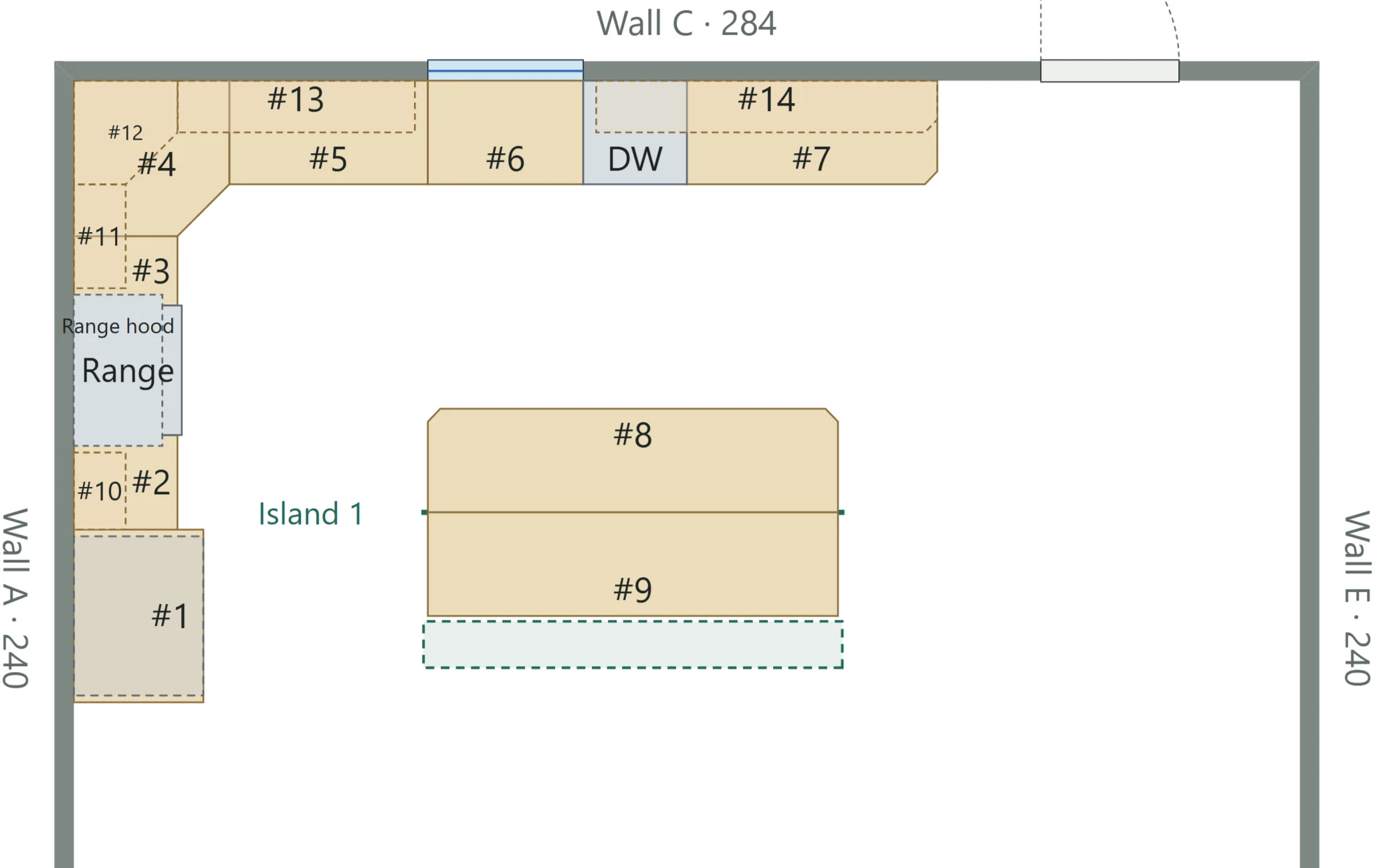
1Draw the room
Walls, windows, doors and openings to the sixteenth. Corners, islands and peninsulas fit together the way they're installed.
Built in a working face-frame shop
Draw the room, set every opening, and CabWorks makes the cut lists, the sheets and G-code, the saw list, the labels, the order lists, the price and the customer's own 3D file. The way a real shop builds them.
No card needed. Windows 10 and 11. Your jobs stay on your own computer.
How it works
Every part is figured from your own settings, so the shop and the office work from the same numbers.
Walls, windows, doors and openings to the sixteenth. Corners, islands and peninsulas fit together the way they're installed.
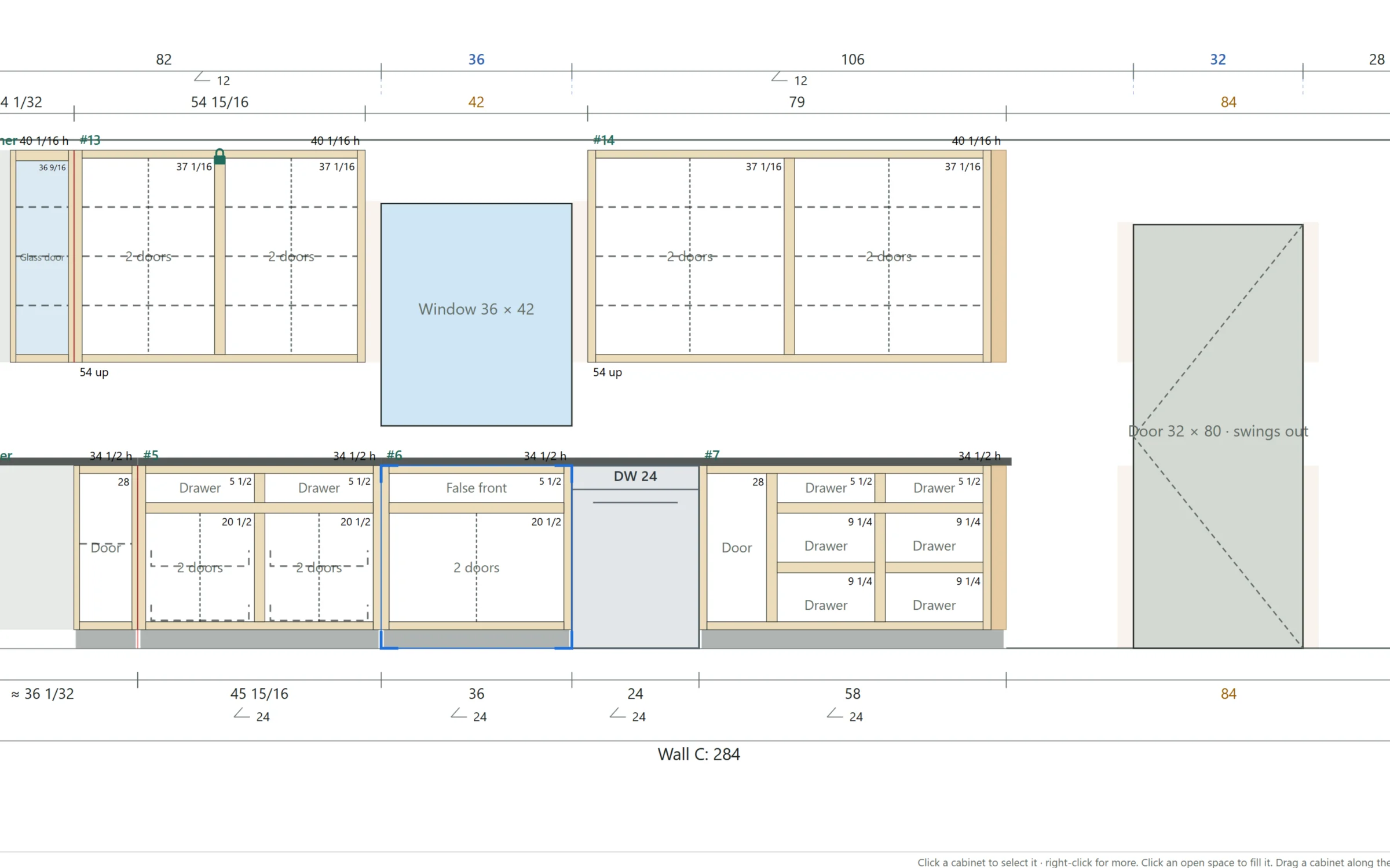
Doors, drawers, false fronts, shelves and rollouts, right on the wall drawing. Openings land on the sixteenth and pairs always match.
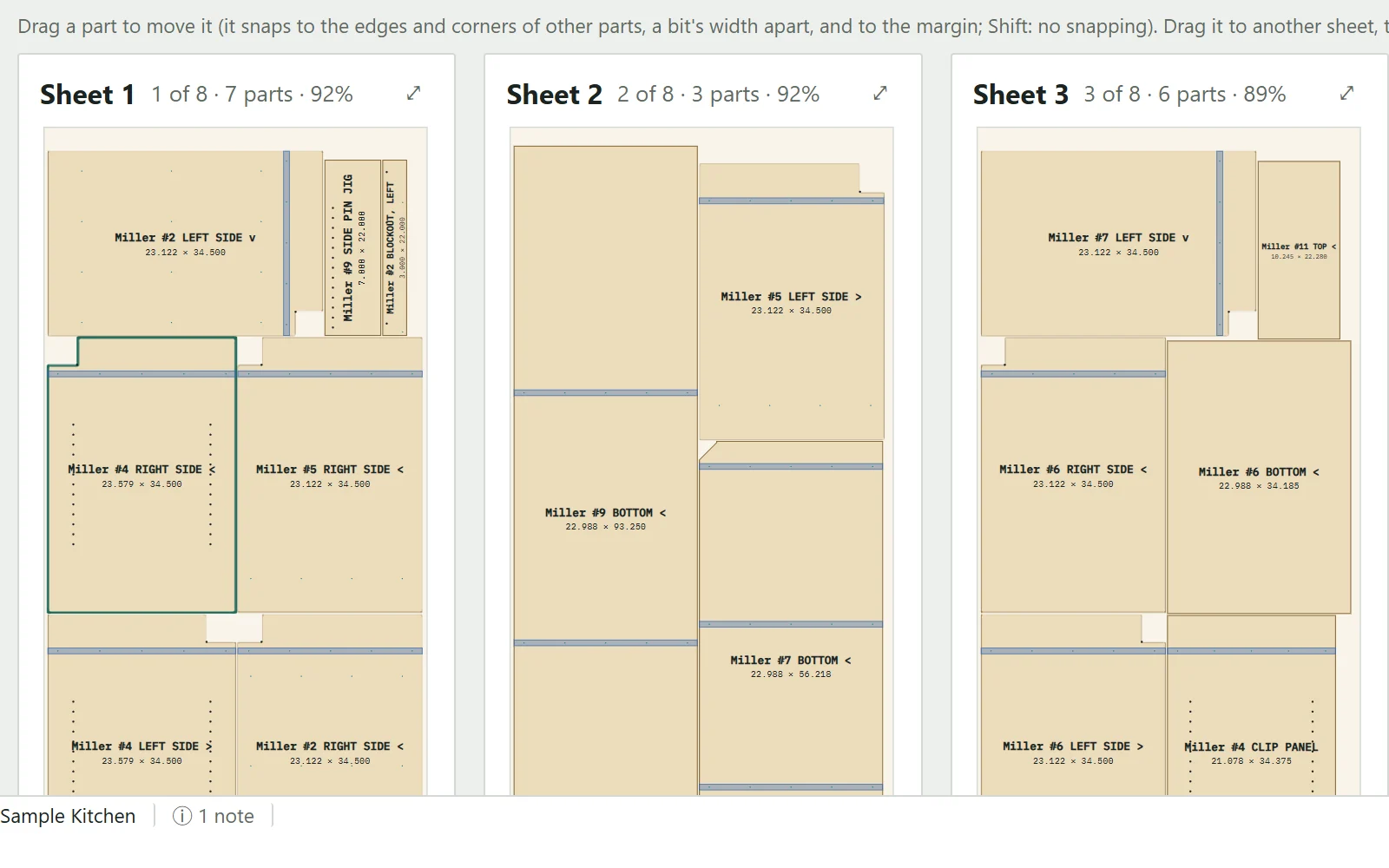
Parts laid out on your sheets, drops kept and used on the next job. Every program is read back by a separate safety check before it can be saved.
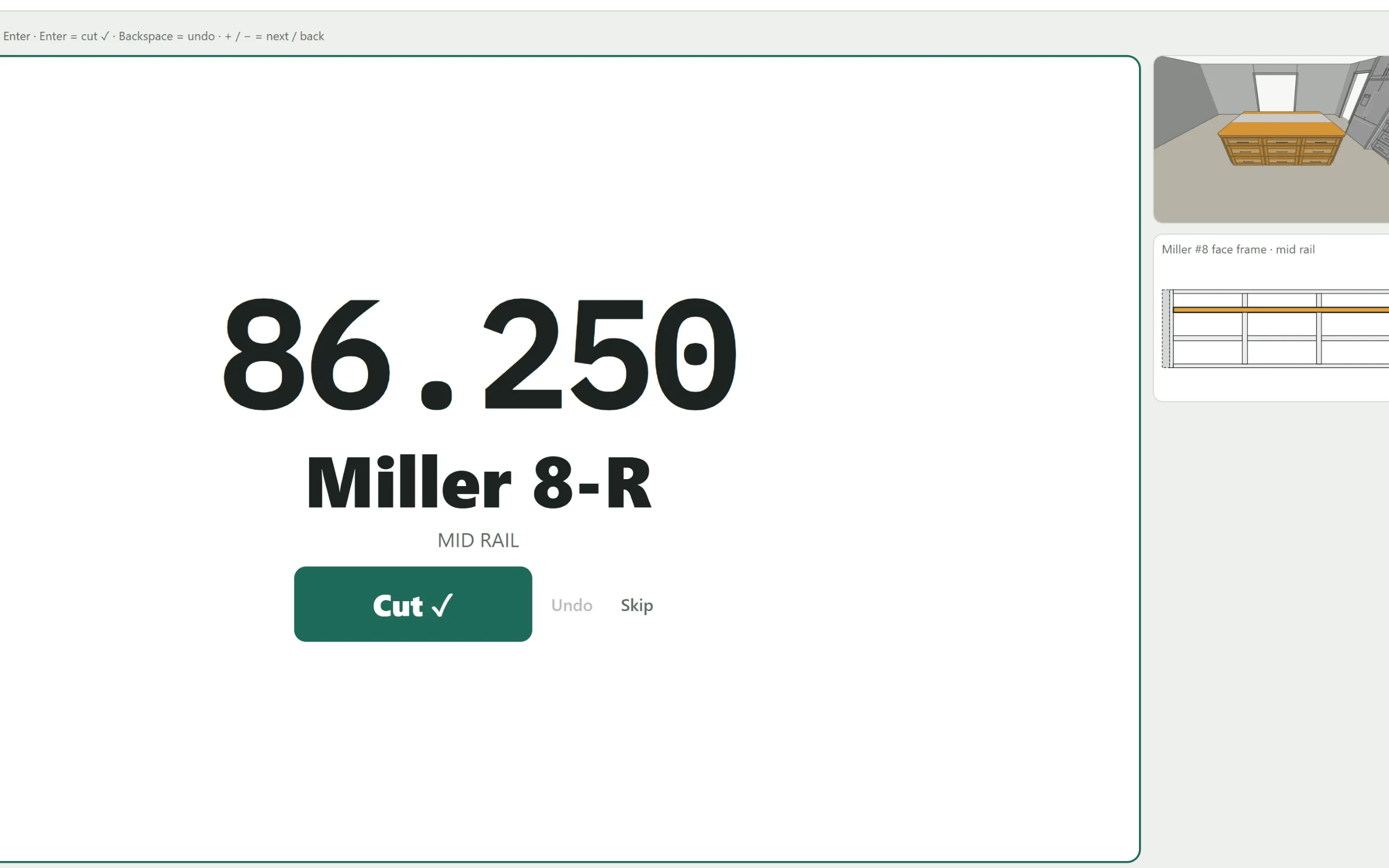
The solid wood one piece at a time, longest first, with the big number to set your stop. Check it off, print its label, next piece.
Sell the job
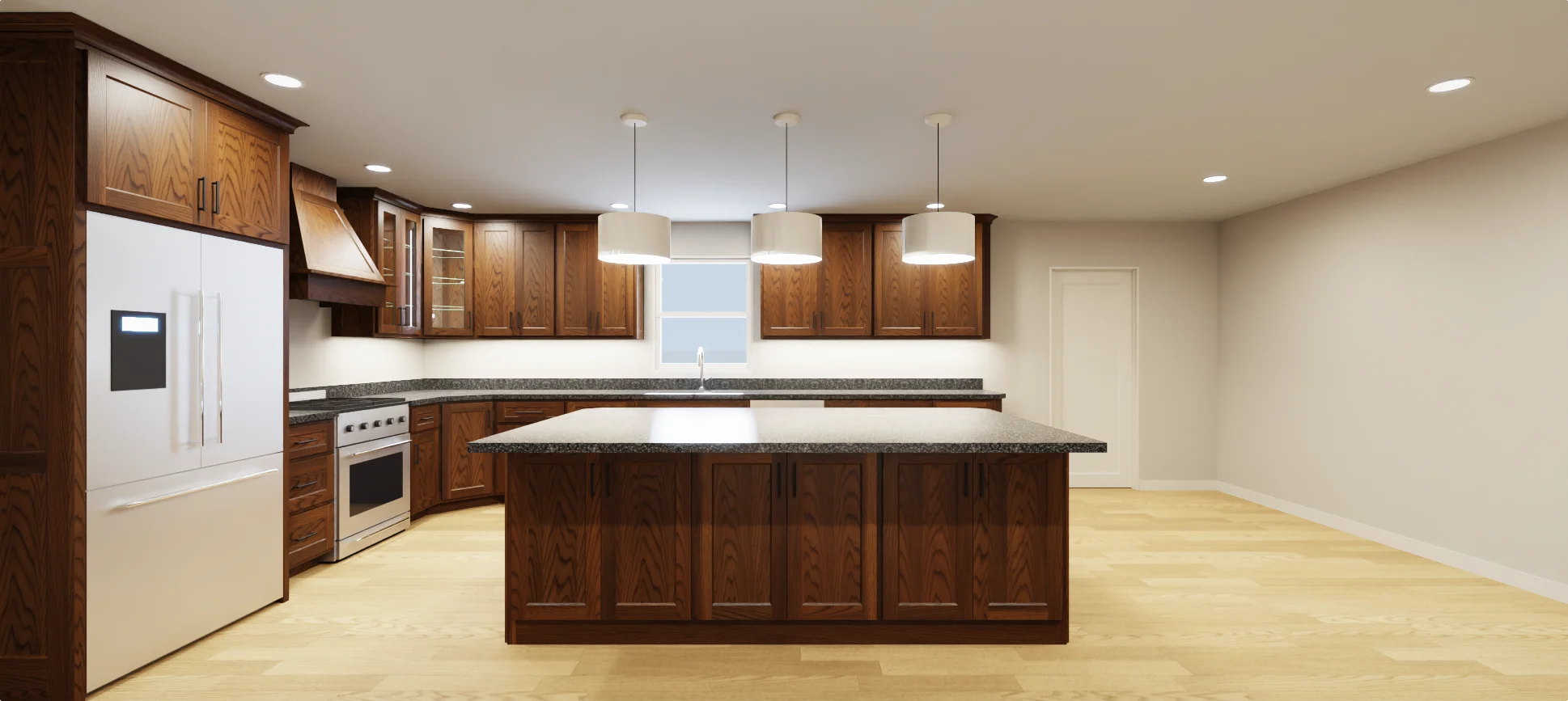
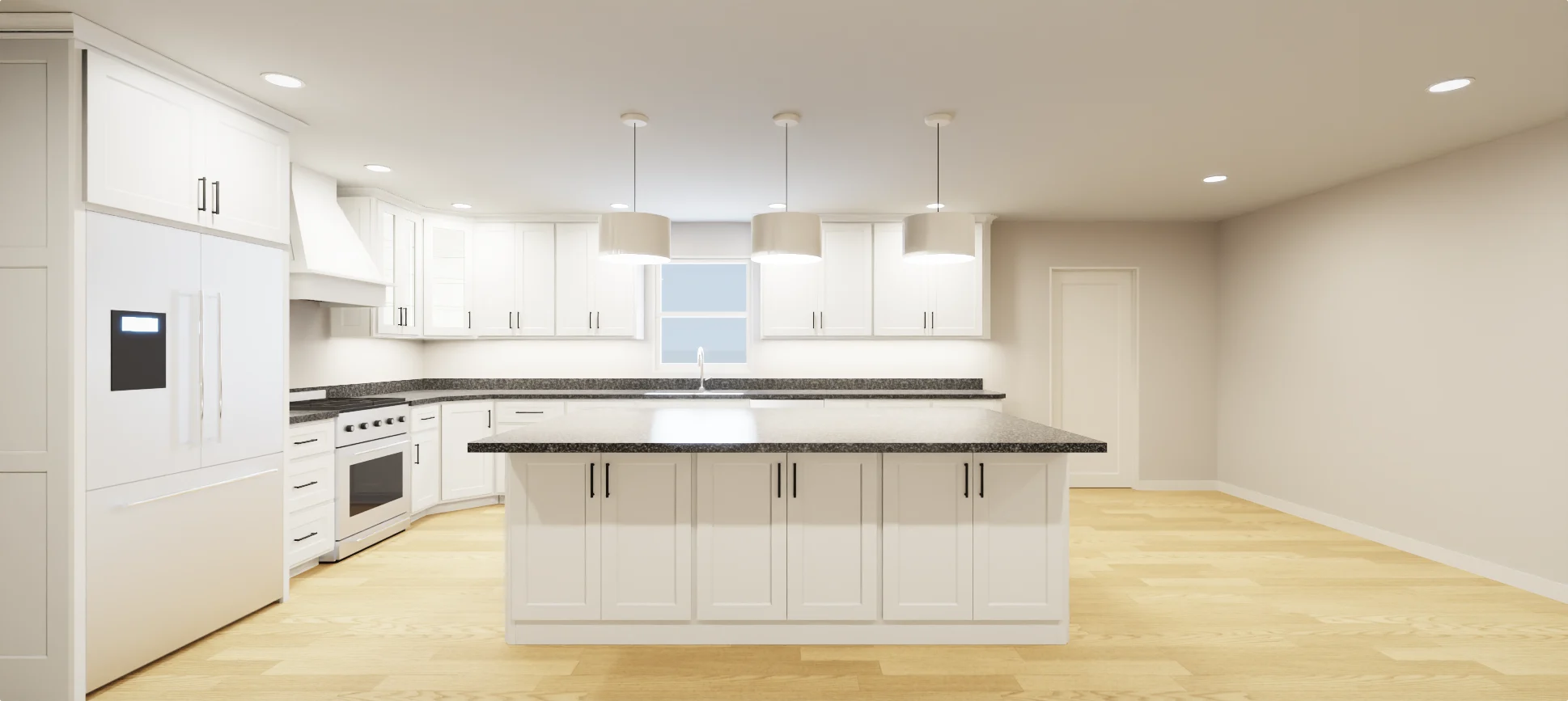
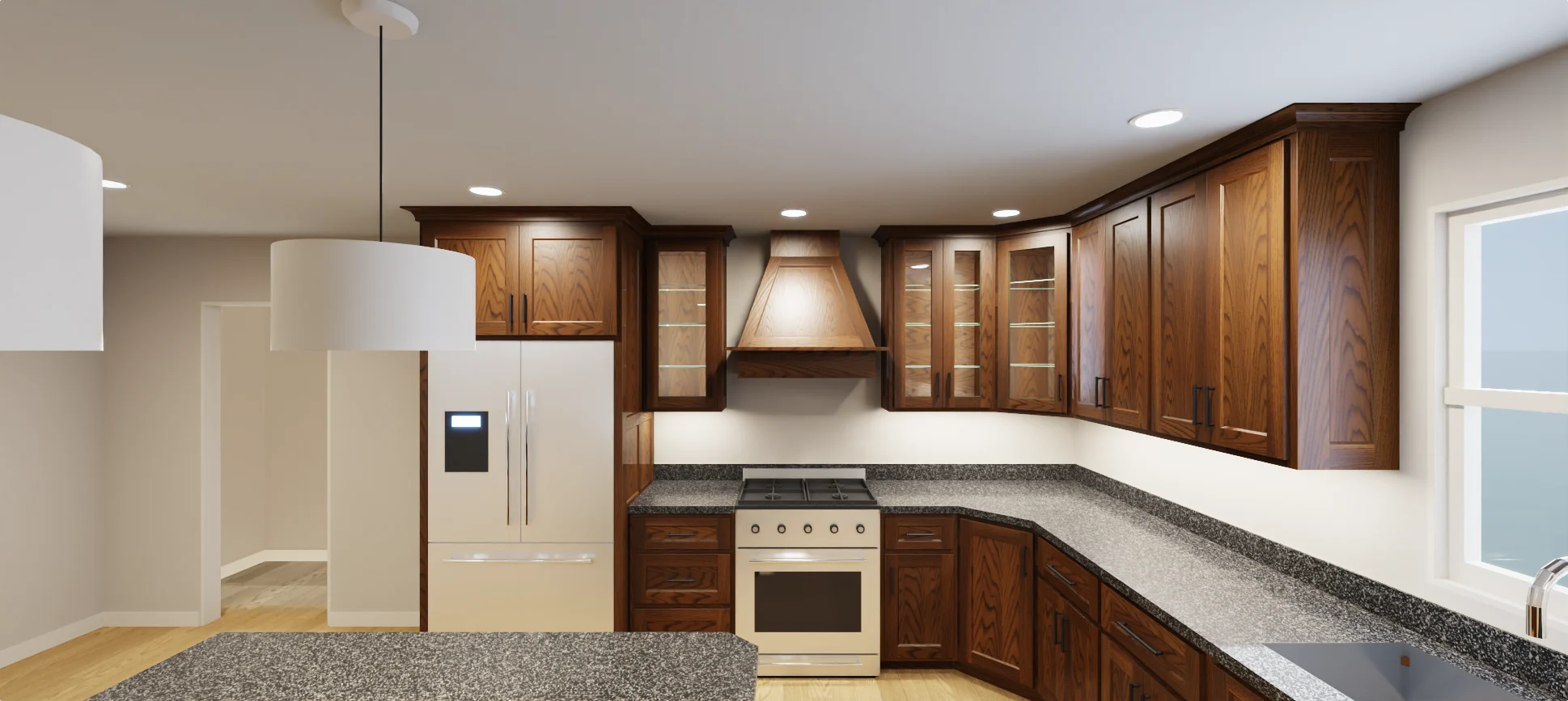
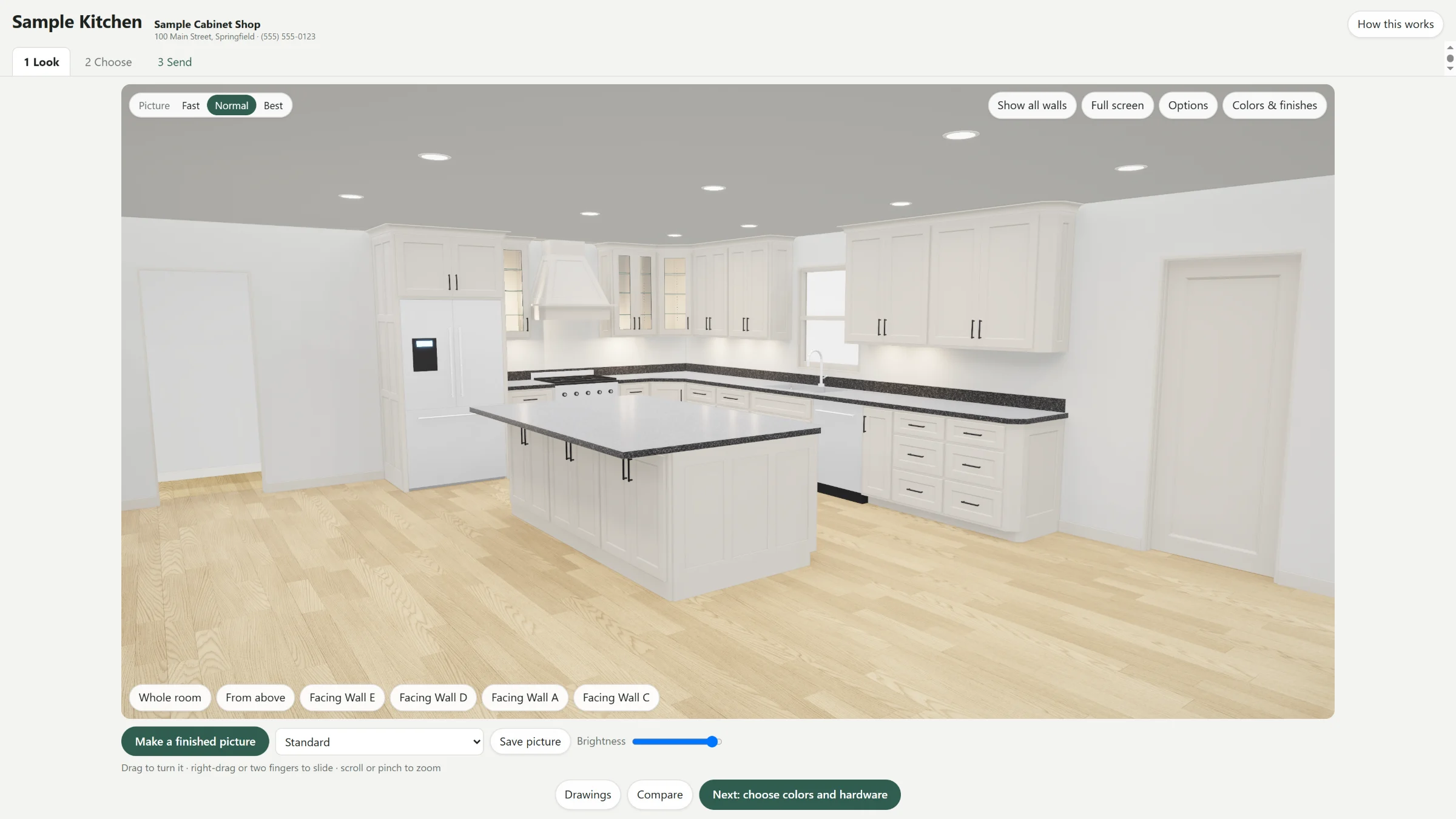
The kitchen you drew, rendered with real light on the shop's own computer. No add-on, no render service, no waiting a week.
Their own file
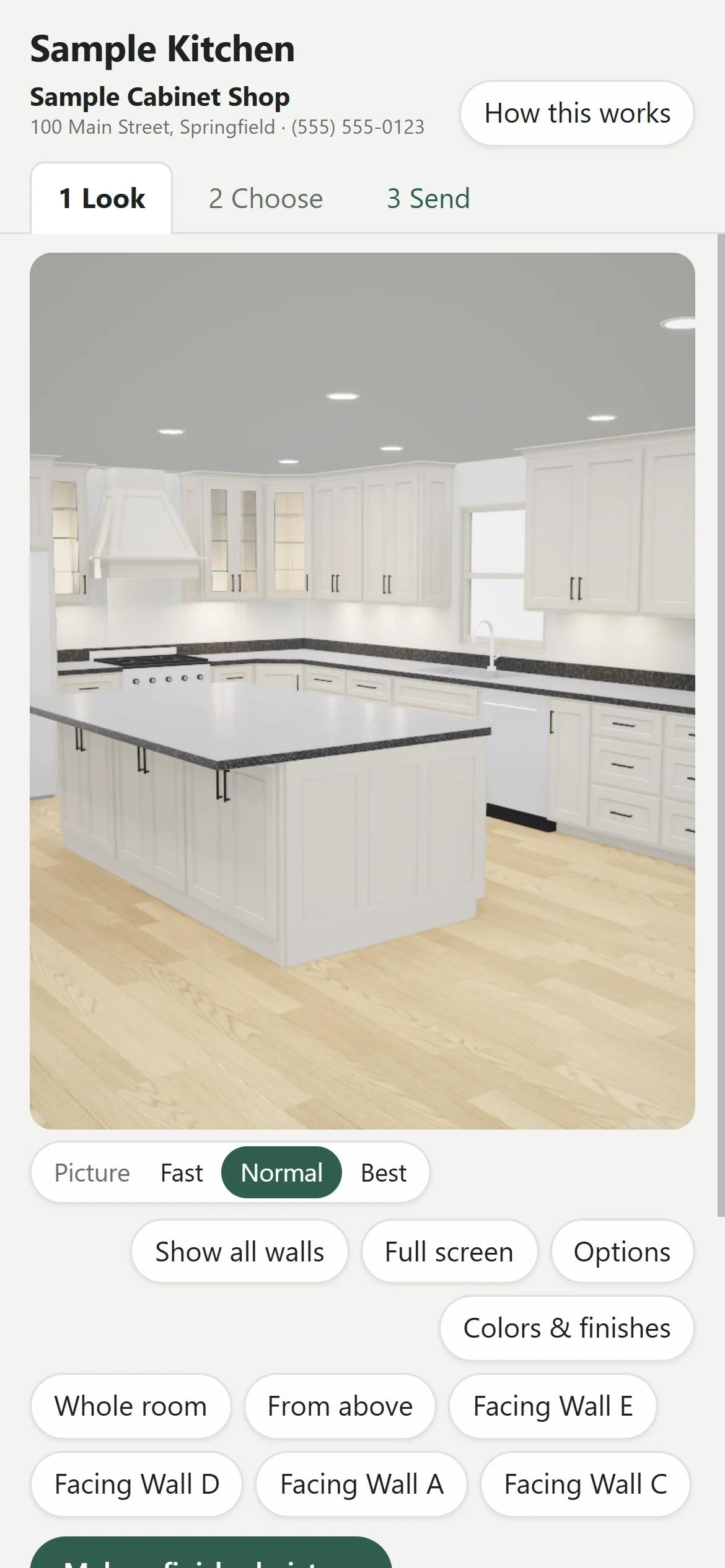
They turn their kitchen around, look inside, try the colors and hardware you offer, and send you their choices. Nothing to install, no account to make.
The office side
The same parts that make the cut list make the order lists and the price, so nothing gets typed twice.
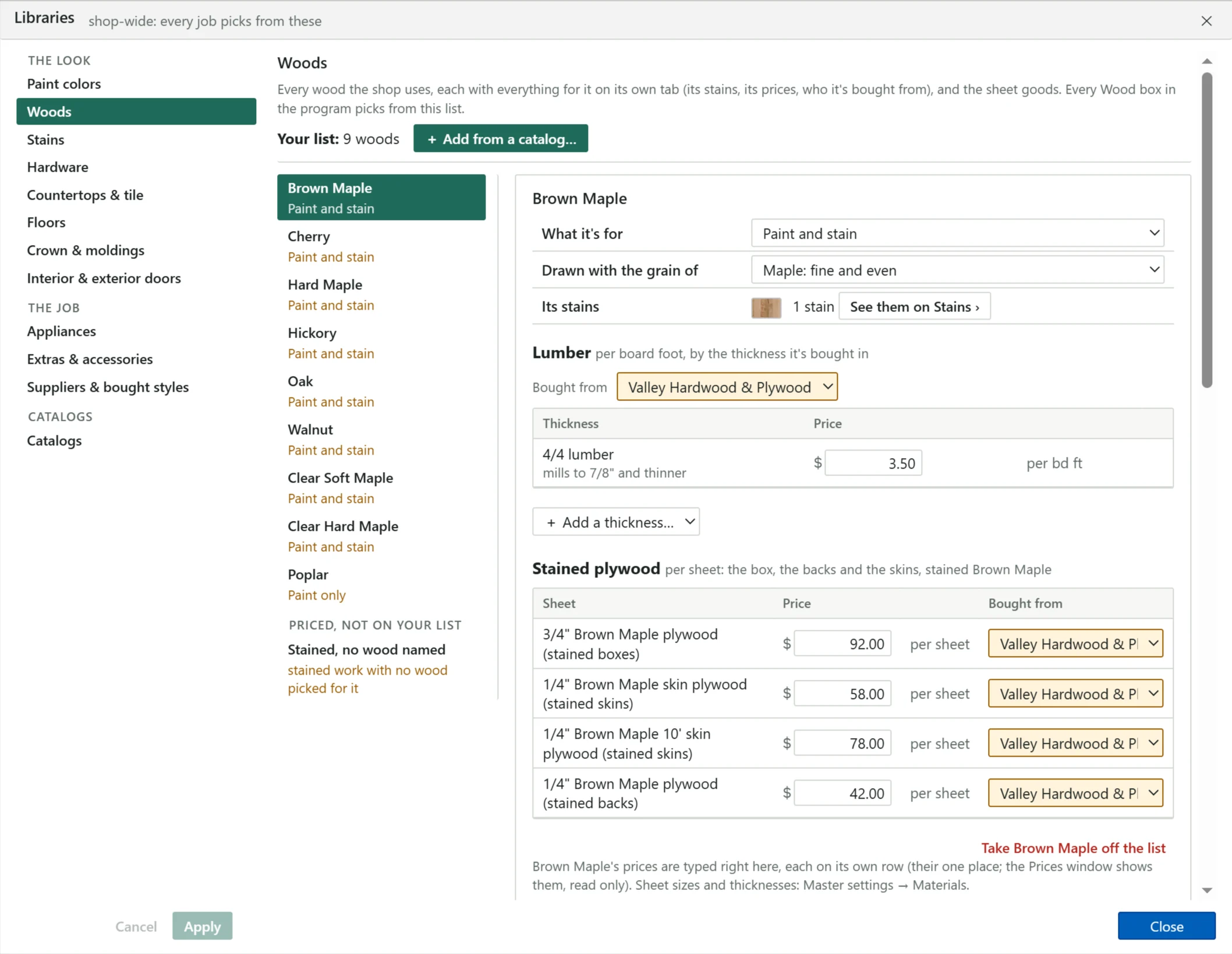
Woods, paints, stains, hardware, countertops and extras, each with its price and who you buy it from. Every job picks from your lists.
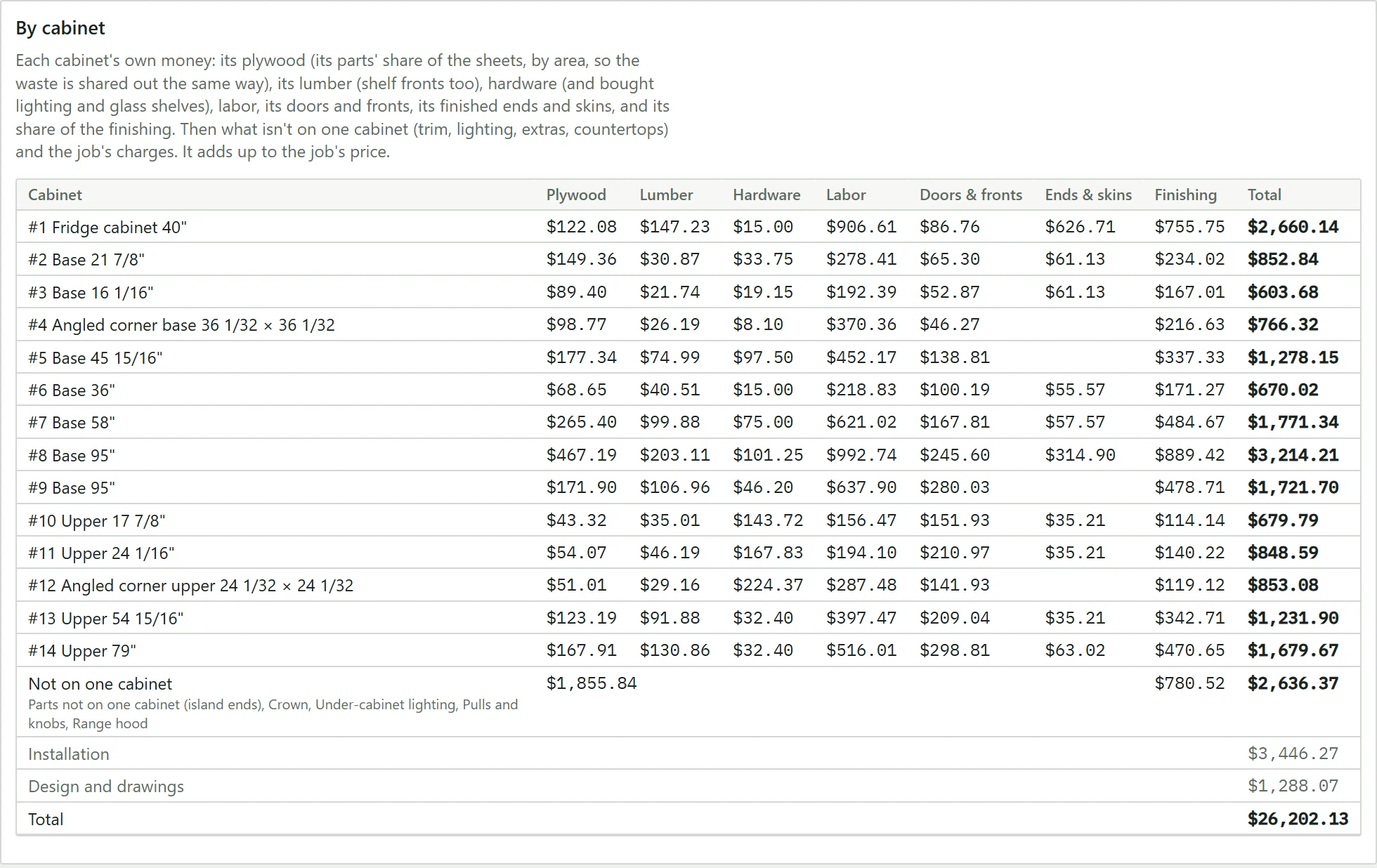
Plywood, lumber, hardware, labor, doors and finishing for every cabinet, from the real parts. Change the job and the price follows.
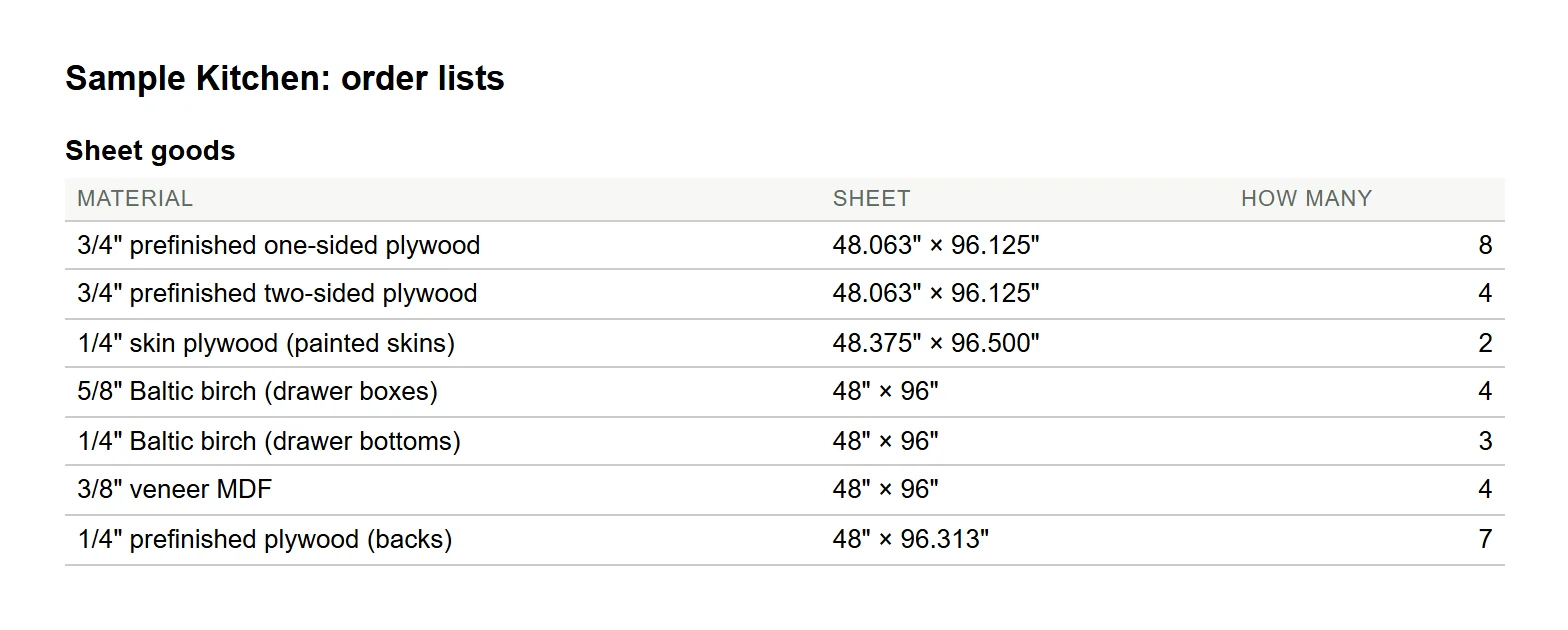
Sheet goods, lumber in board feet, hardware, and supplier orders for bought doors and drawer boxes, ready to send.
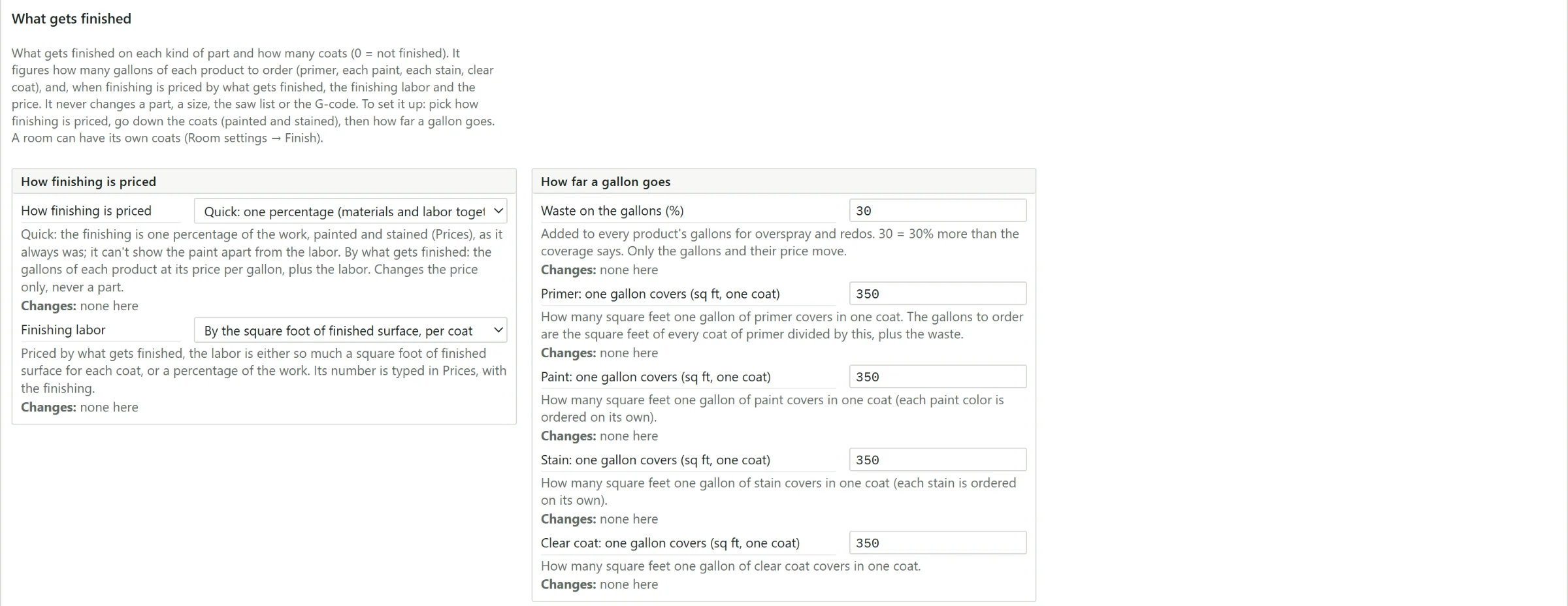
Set the coats on each kind of part once. Every job tells you how many gallons of primer, paint, stain and clear to order.
Why shops pick CabWorks
Not a catalog program, not a frameless program with face frames tacked on.
A separate checker reads every G-code file back before it can be saved. One problem stops the whole download, so nothing bad reaches the machine.
Usable leftovers are saved with their sizes and laid out on the next job's sheets first. Less plywood bought.
The saw screen at the saw or on a tablet, labels with the same marks, operator sheets at the router. Check pieces off as they're cut.
Once a job is cut, its cabinet and door numbers lock themselves. Door 7 stays door 7, and anything added gets the next number.
Works without the internet. Your jobs and settings stay on your own computer, backed up automatically, and a copy is kept before every update.
The office computer and the shop computer can share the same jobs, and the saw tablet sees what's been cut.
Pricing
Both plans start with a 30-day free trial. Monthly, cancel any time. Updates and help included.
$49/month
For shops with a CNC
$99/month
Works with WinCNC machines today (CAMaster and others). Running something else? Tell us your machine. We add machines one at a time.
Try it on a real job
Tell us a little about your shop and we'll send your copy with your trial, usually the same day.
Today it writes G-code for WinCNC controllers (CAMaster and other WinCNC machines). If you run something else, tell us your machine and controller. We add machines one at a time, each tested before it goes out.
A Windows 10 or 11 computer. Nothing is installed in Windows: you unzip it into a folder and open it. Your jobs and settings stay in that folder on your computer.
The setup wizard takes about twenty minutes: 15 short pages on how your shop builds. Your prices, suppliers and printers come after, and a sample kitchen is ready to open while you do.
Yes. The customer's file opens in any web browser, on a computer or a phone. They turn it around, try your colors and hardware, and send you their choices.
You can still open, look at and print every job you made. New jobs and new G-code wait until you pick a plan. Your work is never locked away.
Not yet. CabWorks is built for face-frame cabinets: kitchens, baths and built-ins, painted or stained.
Yes, always. CabWorks figures every size and checks every program, but you know your shop and your machine. Check before you cut.